Running TORUS Platform
The TORUS platform operates by having multiple managers communicate with each other to exchange data. All the executables for these managers are located in the [TORUS Install Folder]/Binary folder. The roles of each manager are as follows:
- Application manager: Manages TORUS Apps.
- Command manager: Sends requests from TORUS Apps to the appropriate manager and delivers the results back to the TORUS App.
- Communication manager: Communicates with CNC machines.
- Device Communication manager: Communicates with non-Machining(non-CNC) equipment.
※ There are several other managers as well. For descriptions of the remaining managers, please refer to the TORUS manual.
Running the TORUS platform means executing these managers. The Application manager and Command manager must always be running. If there are CNC machines among the equipment you want to connect to, you need to run the Communication manager. To connect to non-Machining(non-CNC) equipment, you need to run the Device Communication manager. In other words, depending on the types of equipment you want to connect to, you may need to run either the Communication manager, the Device Communication manager, or both. The order in which the managers are executed does not matter.
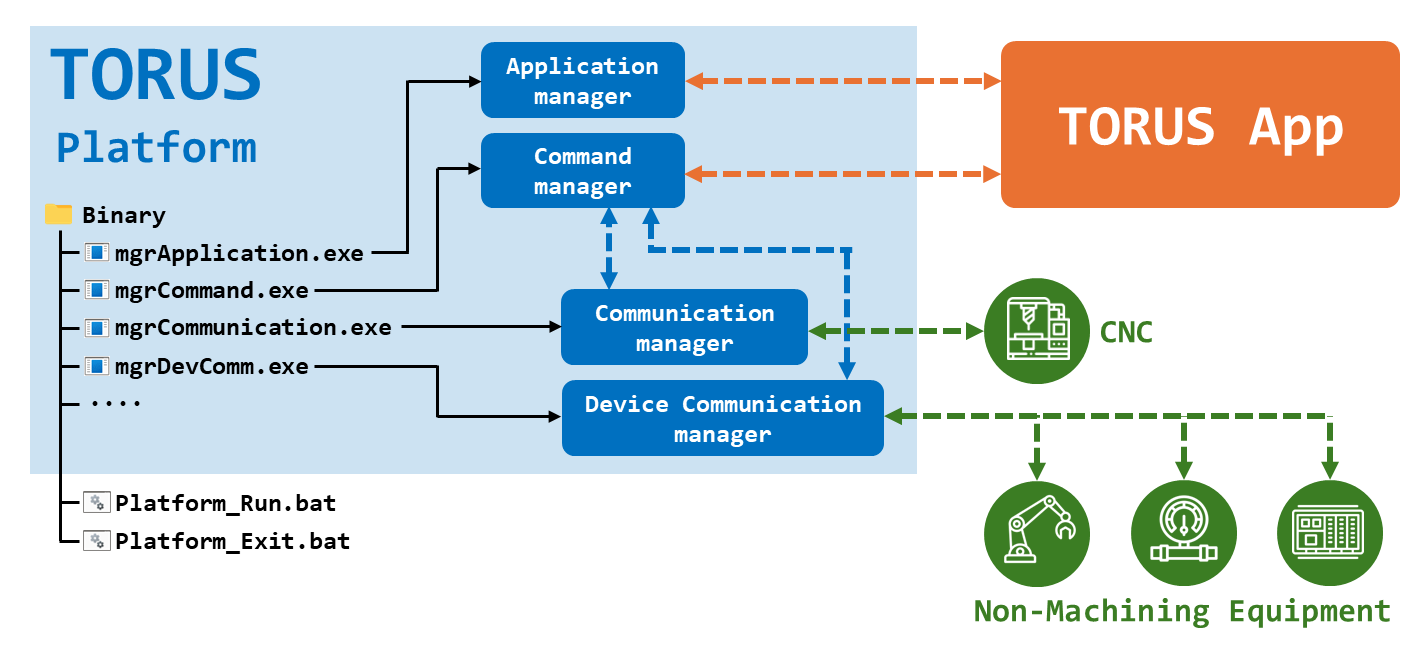
The Platform_Run.bat file located in the [TORUS Install Folder]/Binary folder is a batch file for running multiple managers at once. Platform_Exit.bat is a batch file for terminating multiple managers at once.
You can run the TORUS platform using Platform_Run.bat and terminate it using Platform_Exit.bat.
By modifying the contents of Platform_Run.bat and Platform_Exit.bat, you can specify which managers to run and exit.
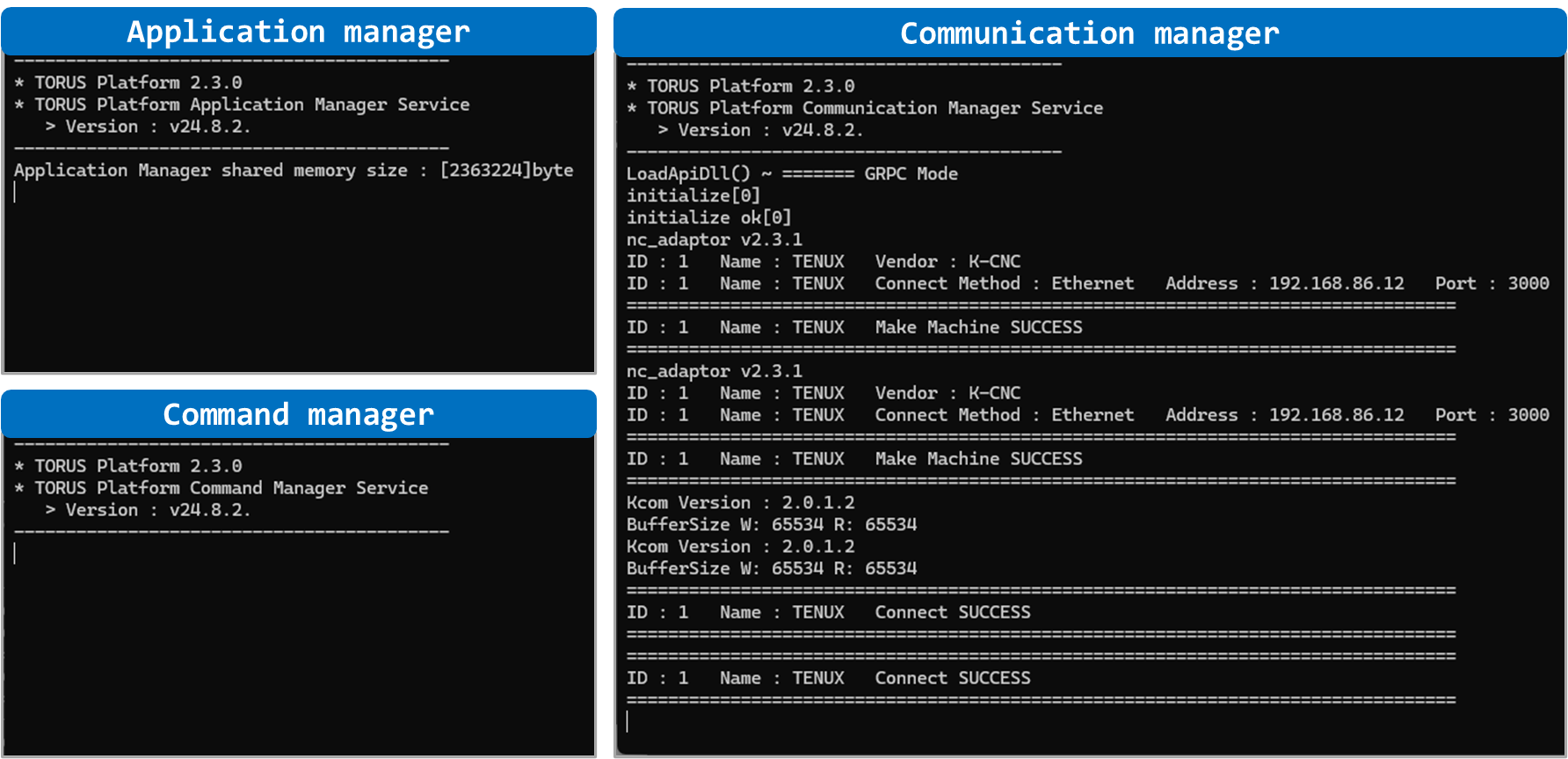
Below is the TORUS platform execution screen. To connect to CNC, we have executed the Application manager, Command manager, and Communication manager.