Running TORUS App
Run the TORUS App while the TORUS platform is running. The App Registration Information File of the TORUS App you wish to run must be located in [TORUS Install Folder]/Binary/application. If you run a TORUS App without its App Registration Information File, a message indicating that the info file is missing will appear in the Application manager console window as shown below.
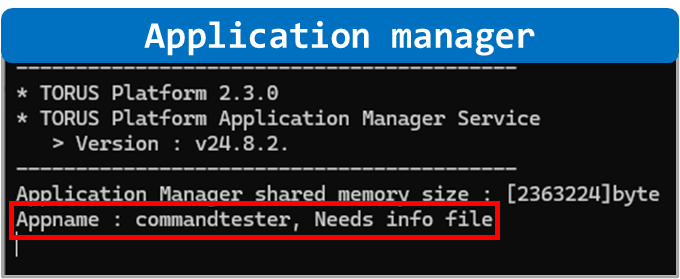
If the App Registration Information File exists, the TORUS App will connect to the TORUS platform normally.
In this document, we will use CommandTester.exe included with TORUS for testing purposes. CommandTester.exe is located in the [TORUS Install Folder]/Binary folder. CommandTester is a TORUS App provided by default for testing TORUS. The source code for this App is located in the [TORUS Install Folder]/Example_VS19/SampleCommandTester folder.
Reading
Below is the process of obtaining the value of machinePosition from the Machine Data Model using CommandTester.
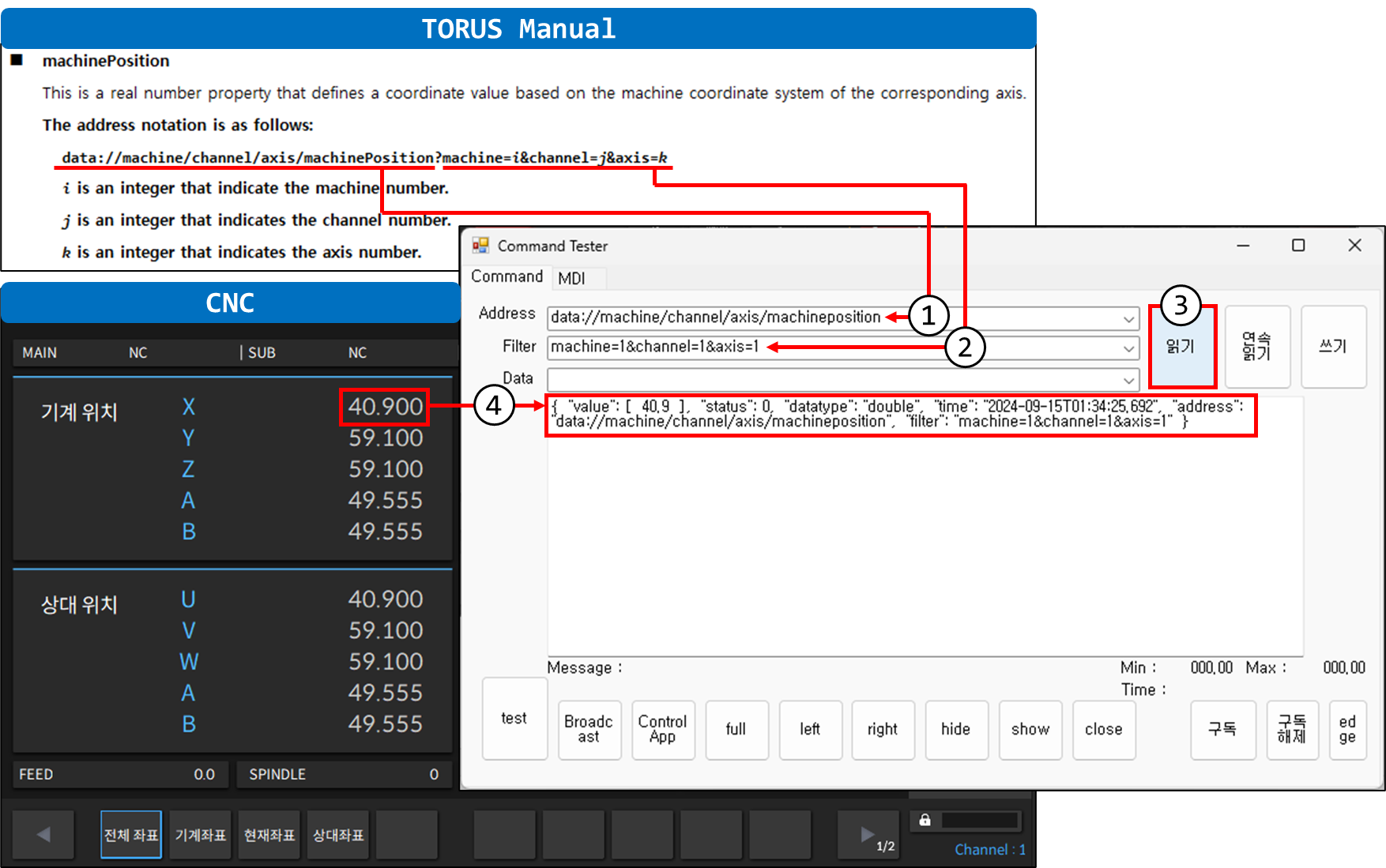
By entering 1,2) the address and the filter of the Machine Data Model and then clicking 3) Read button, it reads the corresponding value from the equipment and outputs the result in JSON format as shown in 4).
※ The TORUS manual contains descriptions of all Machine Data Models.
Writing
Below is the process of changing the value of userVariable from the Machine Data Model using CommandTester.
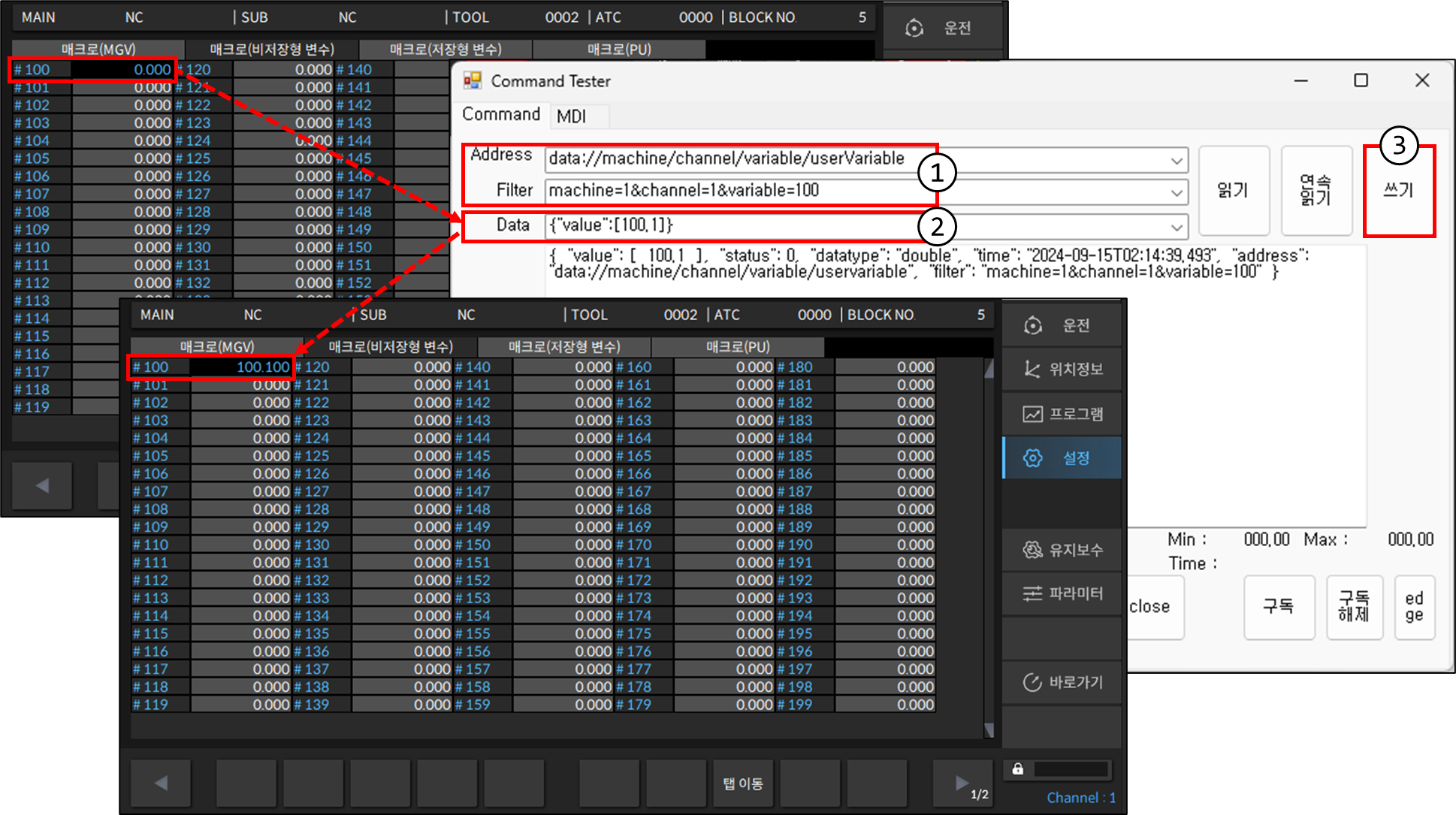
Enter 1) the address and filter of the Machine Data Model and 2) the data to write. When you click 3) Write button, the data in the CNC is changed.
※ The data to be written must be entered in JSON format like {"value":[100.1]}. Use only the value field from the JSON format output when reading.